CDS Enterprise Design System & Agentic Ecosystem
Architecting a unified enterprise design-to-code operating system for mission-critical telecommunications across 150+ countries: 7 mathematical foundation specifications, a 3-tier token hierarchy across 35 variable collections, 34 component families, 8 custom Figma automation plugins, and embedded metadata enabling AI coding agents to generate verified Angular 19 standalone code.

Role
Principal UI/UX Architect & Systems Lead
Company
Cambium Networks
Global Scale
150+ Countries · 24/7 NOC & Field
Token Engine
3-Tier Tokens · 35 Collections · 85 PU
Component Library
34 Families · 100+ Production Units
Automation Suite
8 Custom Production Figma Plugins
Agentic AI Stack
Embedded Metadata · Angular 19
Accessibility
100% WCAG 2.2 AAA Compliance
The Enterprise Dilemma: Unifying Mission-Critical Telecom Across 150+ Countries
Cambium Networks builds mission-critical telecommunications software, cloud network controllers, and 24/7 network operations center (NOC) consoles deployed across more than 150 countries. As the product ecosystem expanded through organic engineering and global acquisitions, disparate squads built disconnected UI implementations from scratch.
This sprawl created severe operational friction: ballooning frontend technical debt, inconsistent accessibility, slow release velocity, and fractured operator mental models. A network engineer configuring multi-gigabit wireless backhauls on a desktop NOC console had an entirely different interface than a field technician diagnosing an access point on a handheld tablet under direct rooftop sunlight.
CDS was architected not as a passive library of static Figma mockups, but as a living design-to-code operating system. It bridges mathematically grounded design tokens, production Angular 19 standalone code, and modern AI coding assistants—delivering a unified, accessible, and automated workflow for global enterprise software delivery.
The Five Architectural Pillars of the CDS Ecosystem
System Foundations & Visual Science
Seven exhaustive specifications governing color science (WCAG 2.2 AAA), fluid typography, an 85 Platform Units (PU) spatial grid, elevation, and optical iconography.
3-Tier Token Engine & Multi-Platform Parity
Decoupled architecture across 35 variable collections with native Figma Code Syntax tags generating CSS custom properties, Jetpack Compose, and SwiftUI identifiers.
Custom Figma Plugin Automation Suite
Eight custom-built production plugins that automate form generation, data tables, telemetry chart plotting, accessibility validation, and token linting.
Agentic AI Contracts & Angular 19 Standalone
Machine-readable component metadata and strict property constraints embedded into Figma, enabling LLMs (Claude, Cursor, Gemini) to generate pure Angular 19 code without hallucinating.
Mission-Critical Component Taxonomy
34 enterprise component families engineered for high-density NOC telemetry, floating multi-window workspaces, complex data validation, and rugged outdoor mobile interfaces.
The Seven Foundation Guides: Eliminating Subjectivity in High-Stakes Telecom
Enterprise network consoles operate in demanding environments—from high-glare rooftop installations under direct sunlight to 24/7 dark-mode operations centers where visual fatigue can lead to critical monitoring mistakes. Visual foundations cannot be decided subjectively; they require mathematical and perceptual rigor.
We codified seven exhaustive foundation guides. Every spacing interval adheres to our 85 Platform Units (PU) grid, eliminating arbitrary pixel values. Color ramps are mathematically tuned to guarantee WCAG 2.2 AAA contrast across both light and dark themes, while fluid typography preserves legibility from 5-inch handhelds to 8K video walls.
Seven Comprehensive Foundation Specifications
Color Science & WCAG 2.2 AAA
Mathematical color ramps calibrated for extreme contrast, dark-room NOC consoles, and colorblind-safe (protanopia, deuteranopia, tritanopia) network status telemetry.
Fluid Typography & Tabular Numerals
Modular dynamic scale with monospace tabular numerals for mission-critical RF frequencies, packet rates, latency jitter, and financial metrics.
85 Platform Units (PU) Spacing Grid
Mathematical spatial engine replacing arbitrary padding with responsive intervals from 2px micro-spacing to 128px layout bounds.
Geometric Radii & Calibrated Elevation
Standardized border radii and multi-layered elevation shadows providing clean spatial hierarchy across floating windows, modals, and toolbars.
Pixel-Aligned Optical Iconography
Strict 24px and 16px grid-aligned icon library with optical weight balancing for mission-critical alerts, radios, and topology nodes.
Developer Guidelines & Token Specs
Direct mappings from design tokens to Angular 19 standalone component inputs, signals, SCSS variables, and unit test criteria.
Governance & Contribution Lifecycle
Formal deprecation cycles, semantic versioning, automated component audits, and cross-team RFC contribution review workflows.
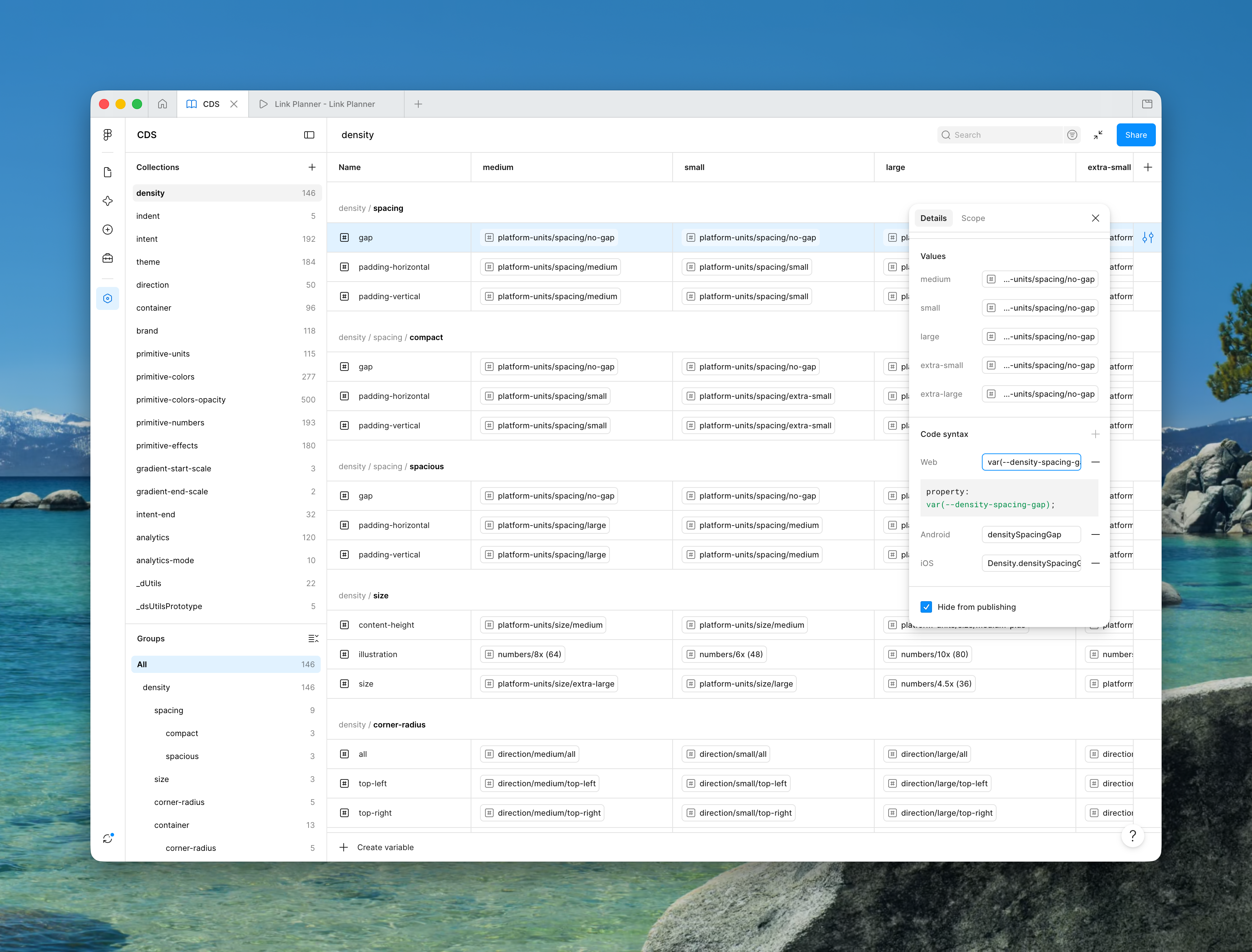
Multi-Platform Parity: One Semantic Token Across Web, Android, and iOS
A design system fails if developers have to translate designer jargon into code names. In CDS, we architected a 3-tier token hierarchy: Tier 1 Primitives (raw colors and sizes), Tier 2 Semantic Roles (surfaces, text intents, interactive states), and Tier 3 Component Overrides.
Every token in Figma's 35 variable collections is mapped with native Code Syntax. When an engineer inspects an element in Figma, they do not see an arbitrary hex value—they immediately see var(--cds-surface-primary) for Angular, CDSTheme.colors.surfacePrimary for Jetpack Compose, and Color.cdsSurfacePrimary for SwiftUI.
The 3-Tier Hierarchy: Primitives, Semantic Intent Roles, and Component Scopes
Decoupling raw values from semantic usage is the cornerstone of CDS scalability. In Tier 1, raw primitives define our perceptual color spectrum and 85 Platform Unit (PU) increments. These values are strictly forbidden from being consumed directly by application UI components.
Instead, Tier 2 defines Semantic Intent Roles—such as surface-primary, status-critical, action-hover, and border-subtle. Component scopes (Tier 3) alias these roles. When Cambium acquires a new product line or updates a sub-brand palette, we simply remap Tier 2 semantic variables. In minutes, hundreds of screens adapt across web, tablet, and mobile with zero code regressions.
Intent Theming, Density Modes, and Bi-Directional Layouts
Three Operational Density Modes & Bi-Directional Engineering
Compact Mode (NOC Telemetry)
4px baseline grid with compressed table rows (28px height) and tight spacing for multi-screen NOC video walls monitoring thousands of nodes.
Comfortable Mode (Enterprise Web)
8px baseline grid with balanced visual hierarchy and 40px interactive controls for desktop cloud controllers and network management portals.
Spacious Mode (Field Operations)
12px baseline grid featuring 44px minimum touch targets and enlarged icon tap zones for gloved outdoor tablet operation.
Bi-Directional LTR / RTL Engine
Built-in logical CSS property tokens (cds-space-inline-start, cds-space-inline-end) enabling automatic layout mirroring across 150+ countries.
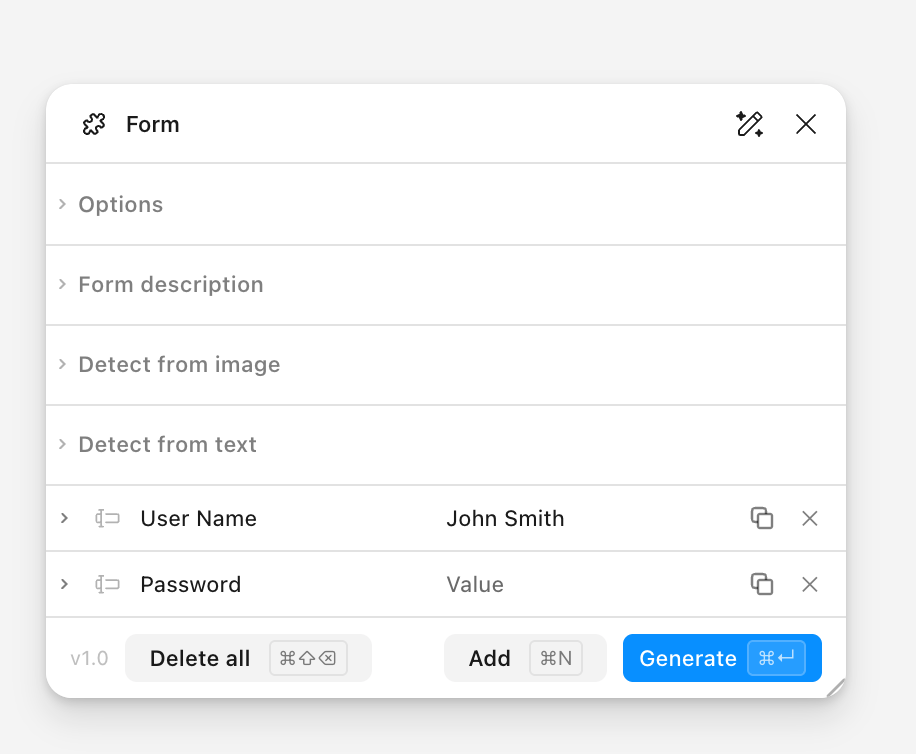
Eliminating Enterprise Toil: The Form Generator & Table Engine
Enterprise network software is dominated by massive 40-field hardware configuration forms and 30-column telemetry data tables. Manually assembling these in Figma used to consume days of designer time, with high chances of token errors and inconsistent spacing.
To solve this, I designed and built 8 custom Figma plugins. The Form Generator takes a structured field schema and generates fully responsive, auto-layout forms with live validation hints in seconds. The Table Builder instantly constructs sortable, sticky-header data tables with realistic telecom data and correct token bindings.
Eight Custom Figma Plugins Built for the Cambium Design Team
Technical Capabilities of the 8 Custom Production Figma Plugins
Schema-Driven Form Generator
Compiles JSON input schemas into nested auto-layout form groups with live inline error states, tooltips, and required indicator badges.
Enterprise Table Engine
Generates virtualized data tables with sticky column freezing, sort direction icons, status chips, and pagination bars.
CDS Telemetry Charts
Plots 20+ enterprise chart types (RF heatmaps, radar antenna curves, time-series lines) using live simulated network telemetry.
WCAG 2.2 AAA Contrast Linter
Computes real-time perceptual contrast curves directly inside Figma canvas, simulating deuteranopia, protanopia, and tritanopia.
Variables Code Syntax Sync
Batch-syncs Figma variable collections with CSS Custom Properties, Jetpack Compose, and SwiftUI code identifiers across repos.
Variable Utilities & Token Linter
Automates alias resolution, detects circular references, and enforces clean token tier inheritance across all 35 collections.
Component Property Validator
Validates variant naming conventions, boolean switches, and slot definitions against Angular 19 code contracts.
Dynamic List Generator
Constructs dense device inventory lists with hardware avatars, firmware version tags, and contextual action menus.
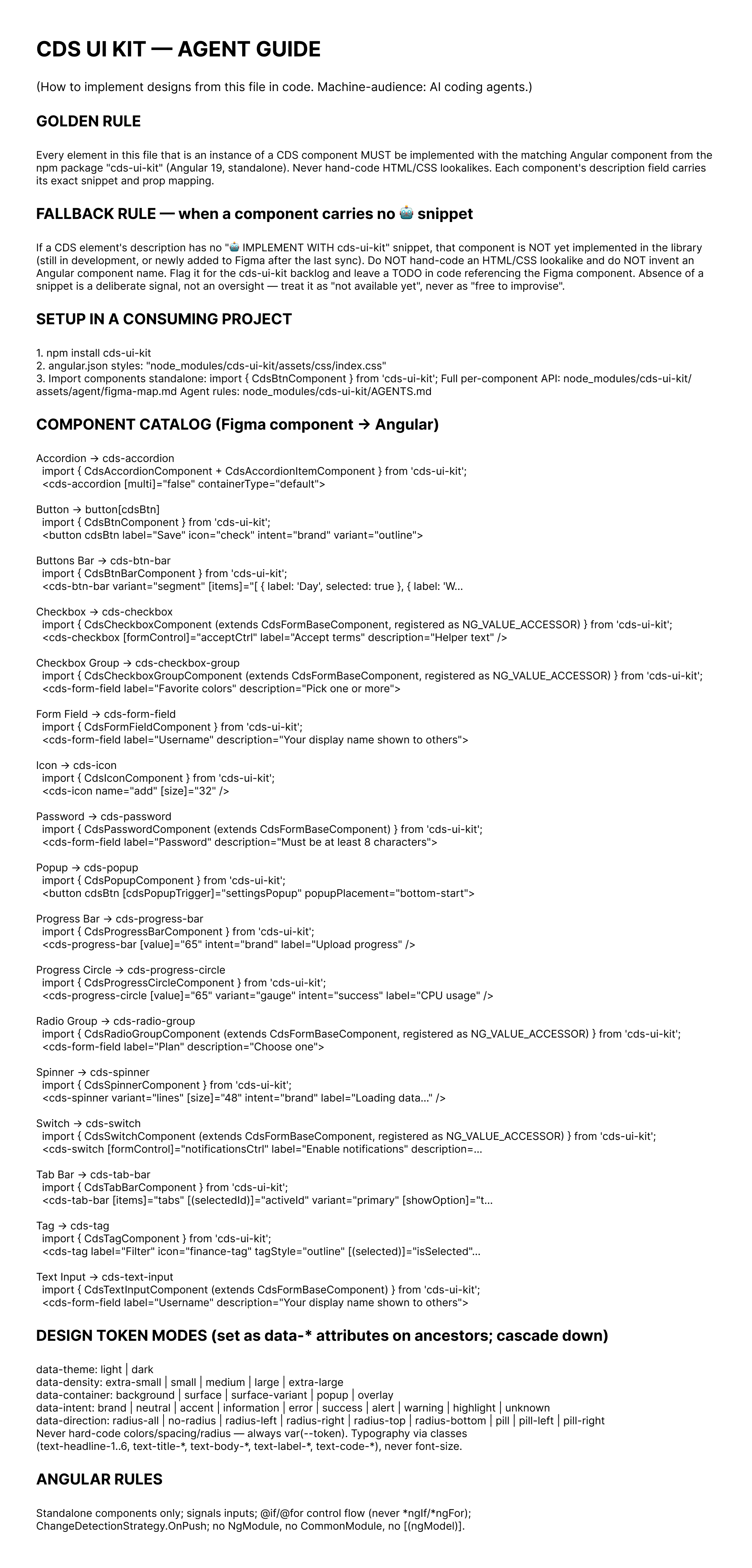
Teaching AI Coding Assistants to Generate Production Angular 19 Code
As our engineering teams adopted modern AI coding tools like Claude 3.7, Cursor, and Gemini to accelerate frontend development, they faced a recurring problem: AI models often hallucinated nonexistent component props, wrote custom inline CSS, and invented non-standard HTML structures.
We resolved this at the architectural root by embedding explicit machine-readable metadata directly into every Figma component node. Along with our comprehensive AI Agent Guide, we established strict boundaries: AI agents must only import standalone components from @cds/components, use exact token variables, and adhere to validated Angular 19 signal inputs.
Embedded Component Metadata & Style Constraints
Figma Components as Executable Contracts for Autonomous AI Agents
By treating Figma components as executable contracts rather than decorative mockups, AI coding assistants generate production-ready Angular 19 code on the first attempt. The agent never has to guess padding, token names, or component states—it reads the explicit JSON schema embedded in the design system.
Four AI Coding Traps Eliminated by CDS Machine Contracts
Prop & Variant Hallucinations
Eliminated by embedding strict TypeScript interfaces and allowed prop enums into Figma node descriptions parsed by Cursor and Claude.
Arbitrary Inline Styles
Eliminated by Style AI Metadata manifests that map every layer to an exact @cds/components CSS custom property variable.
DOM Structure Sprawl
Eliminated by enforcing Angular 19 standalone component imports with verified template slot projections and zero extra wrappers.
Accessibility Violations
Eliminated by pre-binding ARIA attributes, keyboard navigation handlers, and role specifications directly into the component contracts.
34 Component Families Categorized by Enterprise Operational Domain
Actions & Navigation (14 Components)
Button bars, split buttons, segmented controls, breadcrumb trails, multi-step wizards, and hierarchical tree navigation.
Form Controls & Inputs (17 Components)
Masked password credentials, range sliders, location pickers, dual-knob controls, multi-select dropdowns, and schedulers.
Data Tables & Grids (12 Templates)
High-density data tables with virtualized scrolling, sticky column freezing, cell formatters, and batch action toolbars.
Telemetry Analytics (20+ Chart Types)
Real-time RF spectrum heatmaps, time-series scrubbers, area charts, spider radar charts, and live KPI summary tiles.
Agentic Consoles & Multi-Window Canvas (8 Components)
Conversational prompt composers, contextual token chips, floating draggable NOC windows, and topological graphs.
Field Operations & Mobile (10 Components)
Handheld technician toolbars, speed dial actions, 44px outdoor touch targets, and offline-first status indicators.
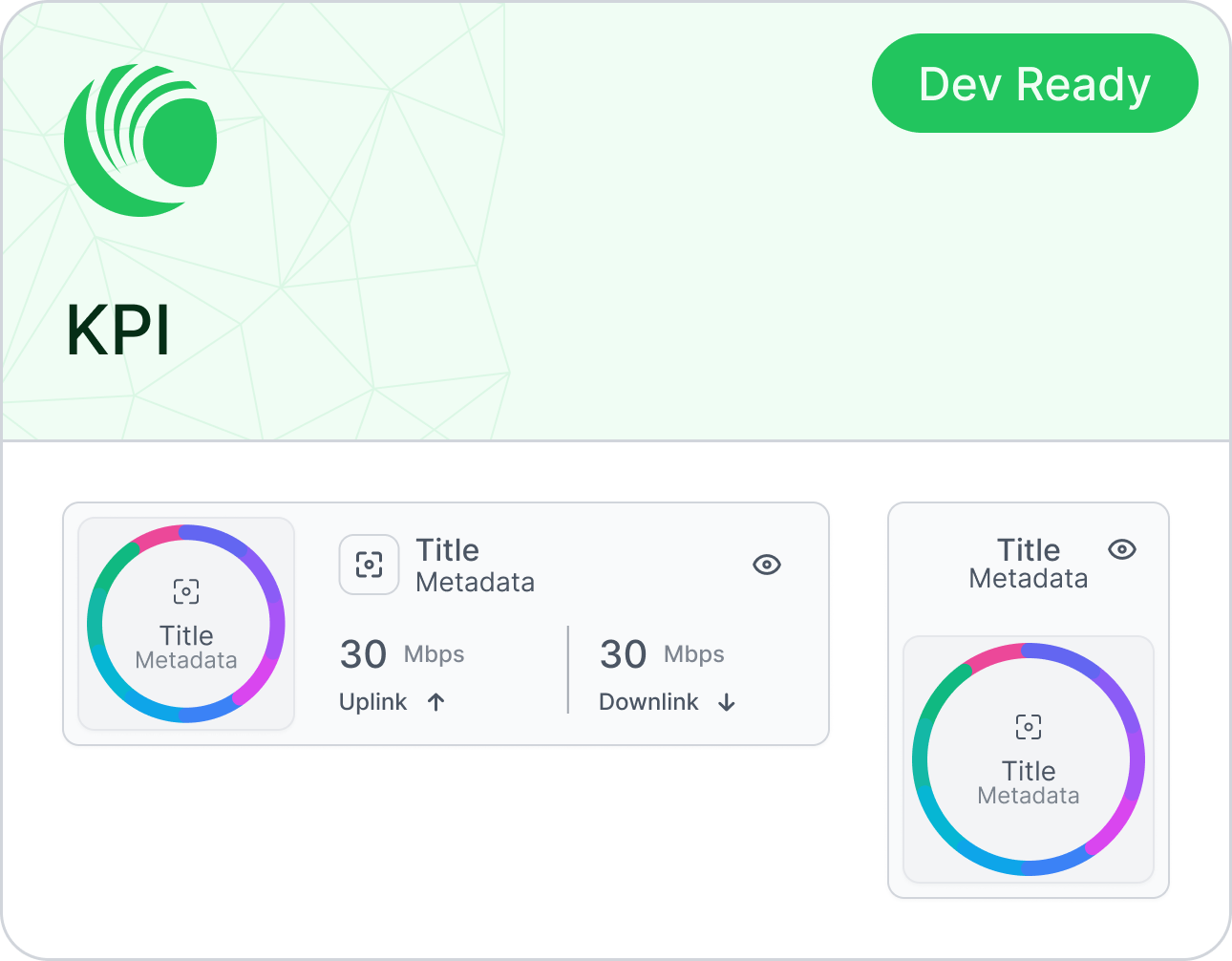
Mission-Critical Telemetry: Making Millions of Data Points Actionable
Network operations center (NOC) operators monitor millions of concurrent data points: radio throughput, latency jitter, packet loss, and channel interference across global telecom grids. Visualizing this data requires specialized charts engineered for extreme density and rapid visual triage.
CDS features over 20 telemetry visualization components. Real-time KPI cards display live health scores with integrated sparklines and delta tags, while time-series engines allow engineers to scrub across months of historical telemetry or zoom into millisecond packet bursts without performance degradation.
Telecom Telemetry Charts, RF Spectrum Heatmaps, and Time Series

Autonomous Agent Consoles & Floating Multi-Window Workspaces
As enterprise telecommunications systems adopt autonomous AI agents for automated network optimization, operators need a collaborative interface to query telemetry, inspect agent execution traces, and approve configuration changes.
CDS provides an integrated agentic workspace. The Prompt Composer features contextual entity tokens, attachment trays, and instant diagnostic suggestions. Operators can undock widgets into persistent, draggable floating windows to build customized multi-monitor NOC cockpit views tailored to their specific shift duties.
Floating Multi-Window Canvas, Agentic Workspaces, and Topology Graphs
Enterprise Data Precision, Hardware Calibration & Complex Validation
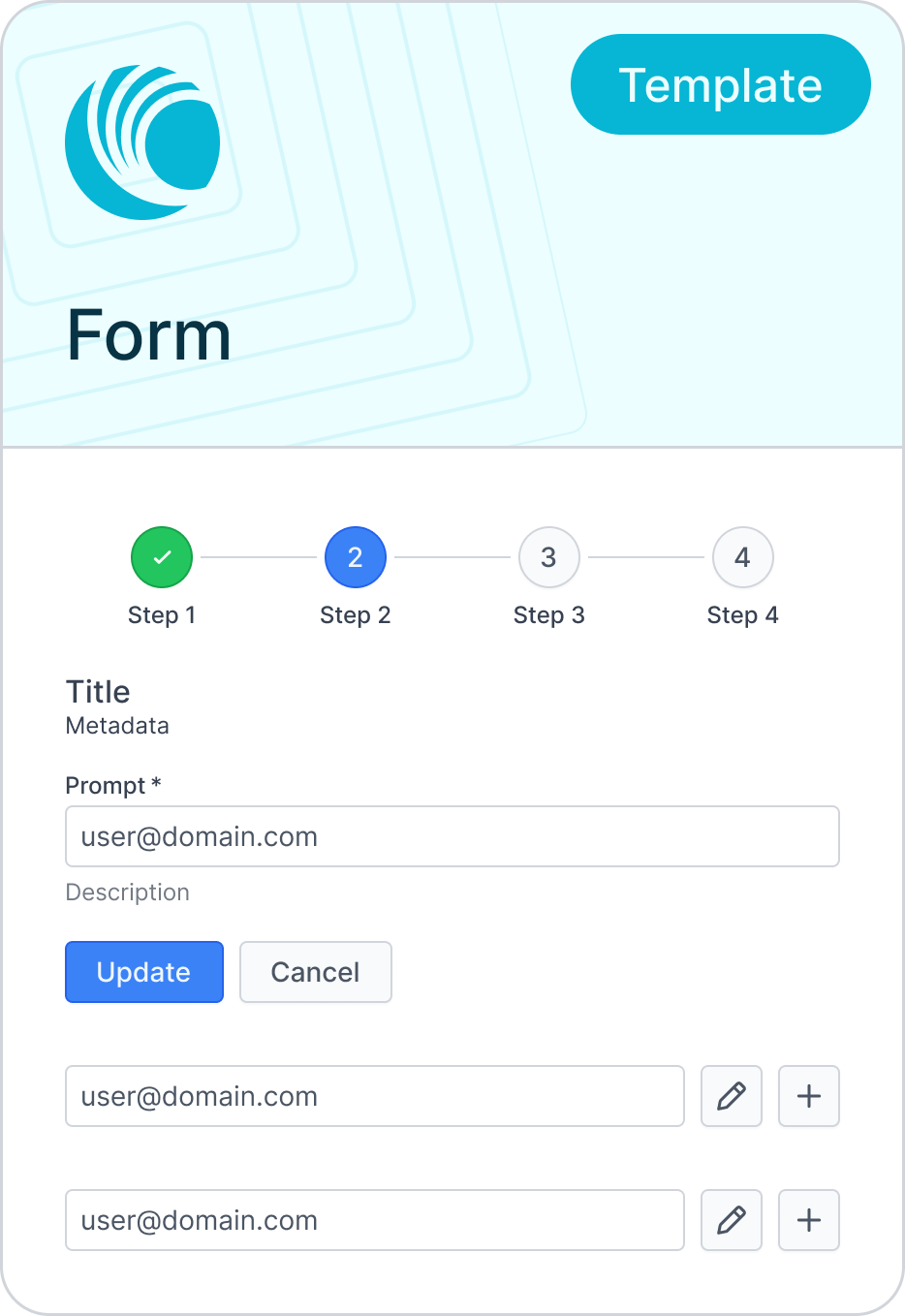
Configuring telecommunications hardware leaves no room for ambiguous input: a single wrong subnet mask, VLAN ID, or transmission power setting can disconnect an entire city sector. CDS provides high-density form controls with instant inline validation, masked security credentials, and precision range sliders.
Hardware provisioning wizards guide operators through complex multi-step wireless access point commissioning. Schedulers handle timezone-aware recurring maintenance windows, while data tables offer frozen sticky columns and rapid inline editing.
Precision Form Controls, Multi-Step Hardware Setup Wizards, and Schedulers
Rugged Field Operations: Handheld Interfaces for Rooftop Deployments
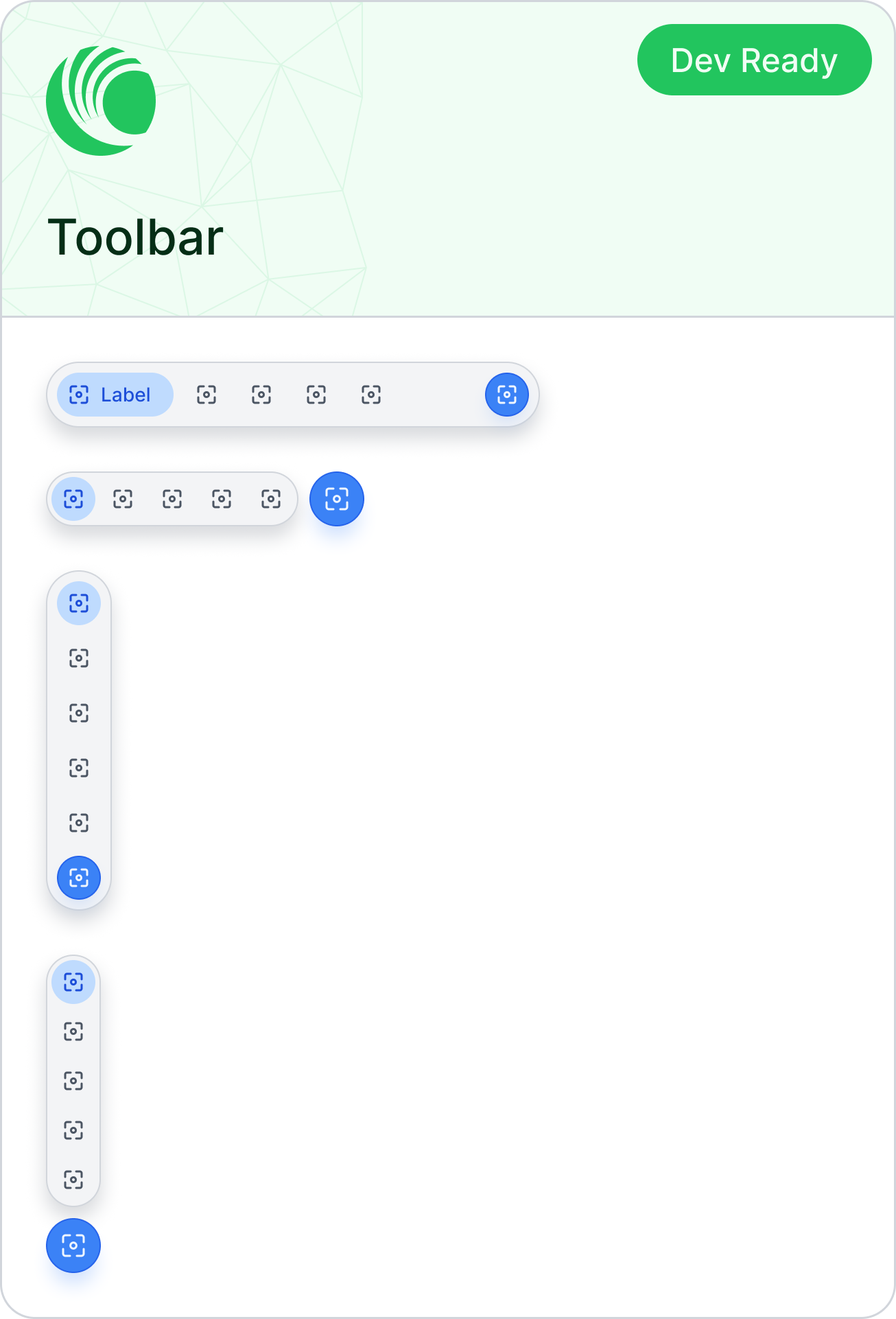
For field technicians installing microwave radios on rooftop masts, environmental conditions are harsh: direct solar glare, freezing weather, and single-handed operation while wearing heavy safety gloves.
CDS transitions into a ruggedized field interface. Featuring high-contrast sunlight themes, generous 44px minimum touch targets, and single-thumb speed dials, field crews can align antennas, calibrate signal azimuths, and complete tower deployments safely and swiftly.
Rugged Tablet Interfaces, Handheld Mobile Views, and Speed Dials
Measurable Impact Across Engineering and Global Design Teams
WCAG 2.2 AAA Compliance
Zero contrast defects across all 34 component families in light & dark modes
Component Families
Over 100 thoroughly tested, production-ready Angular 19 components
Variable Collections
3-tier token hierarchy powering Web, Jetpack Compose, and SwiftUI
Custom Figma Plugins
Saving designers thousands of manual assembly hours every quarter
Rework Reduction
Design-to-code parity and zero-hallucination AI coding agent imports
The Four-Phase Rollout of the CDS Ecosystem
Mathematical Foundations & 3-Tier Tokens
Established WCAG 2.2 AAA color science, fluid typography with tabular numerals, 85 Platform Units grid, and 35 variable collections with native Code Syntax tags.
Phase 1
Custom Figma Plugin Automation Suite
Engineered 8 custom production plugins (Form Generator, Table Engine, CDS Charts, Accessibility Linter, Syntax Sync) automating hours of manual assembly toil.
Phase 2
Agentic AI Metadata & Machine Contracts
Embedded machine-readable JSON schemas and constraints into Figma component nodes, publishing the AI Agent Guide for Claude, Cursor, and Gemini.
Phase 3
Production Component Rollout & Angular 19 Handoff
Shipped over 100 enterprise components across 34 families with standalone tree-shakeable packages, signals, and multi-platform parity.
Phase 4
Before CDS vs. The Living CDS Design-to-Code Ecosystem
Before CDS (Fragmented Sprawl)
Static Figma mockups with ambiguous specs that developers and AI tools had to interpret
The CDS Architecture
Embedded Figma metadata, AI Agent Guide, and explicit Angular 19 standalone component contracts
Measurable Outcome
Code matches designs on the first run; AI coding tools generate clean imports without hallucinated props
Before CDS (Fragmented Sprawl)
Hardcoded hex colors and manual dark mode styles that broke when brands updated
The CDS Architecture
Structured 3-tier token hierarchy separating raw primitives from semantic roles across 35 collections
Measurable Outcome
Brand updates and dark mode roll out across dozens of screens in minutes without code rewrites
Before CDS (Fragmented Sprawl)
Hours spent manually assembling 40-field forms, data tables, and telemetry charts in Figma
The CDS Architecture
Suite of 8 custom Figma plugins (Form Generator, Table Builder, CDS Charts) generating layouts in seconds
Measurable Outcome
Designers spend time solving architectural user problems instead of moving repetitive rectangles
Before CDS (Fragmented Sprawl)
Components breaking awkwardly when resized between handhelds, laptops, and 8K NOC monitors
The CDS Architecture
85 responsive Platform Units (PU) grid, 3 density modes, and built-in Right-to-Left (RTL) mirroring
Measurable Outcome
Layouts look natural, stay legible, and adapt automatically across all global telecom deployments
Before CDS (Fragmented Sprawl)
Accessibility checks conducted post-development, leading to costly redesigns and customer escalations
The CDS Architecture
Custom Figma accessibility plugin calculating live contrast curves and colorblindness simulation as designers work
Measurable Outcome
100% WCAG 2.2 AAA compliance baked in from day one, not patched on at the end
Before CDS (Fragmented Sprawl)
Inconsistent token names causing disconnect between Web, iOS, and Android codebases
The CDS Architecture
Native Figma Code Syntax tags exposing CSS custom properties, Jetpack Compose, and SwiftUI variables
Measurable Outcome
Engineers across all platforms immediately see the exact code syntax without cross-checking documentation
More projects to explore
LINKPlanner — RF Network Design & GIS Optimization
A spatial-first network planning tool for outdoor wireless and microwave links. Features interactive satellite mapping, instant terrain cross-sections, Fresnel zone checks, automated parts lists (BOM), and 60GHz Terragraph mesh planning.
 Enterprise Platform
cnMaestro Wireless Network Manager
Cambium Networks' flagship network manager for wireless broadband, switches, and backhaul links. Built from the ground up with interactive map topology, real-time device health, and an enterprise design system in Figma.
 Mobile App & Subscriber Experience
cnMaestro Subscriber — Smart Home Wi-Fi & Mesh Management
Cambium Networks' mobile application (Swift) empowering residential broadband subscribers with intuitive Wi-Fi controls, mesh topology, parental bedtime schedules, automated channel self-healing, and ISP soft-branding.