cnMaestro MarketApps
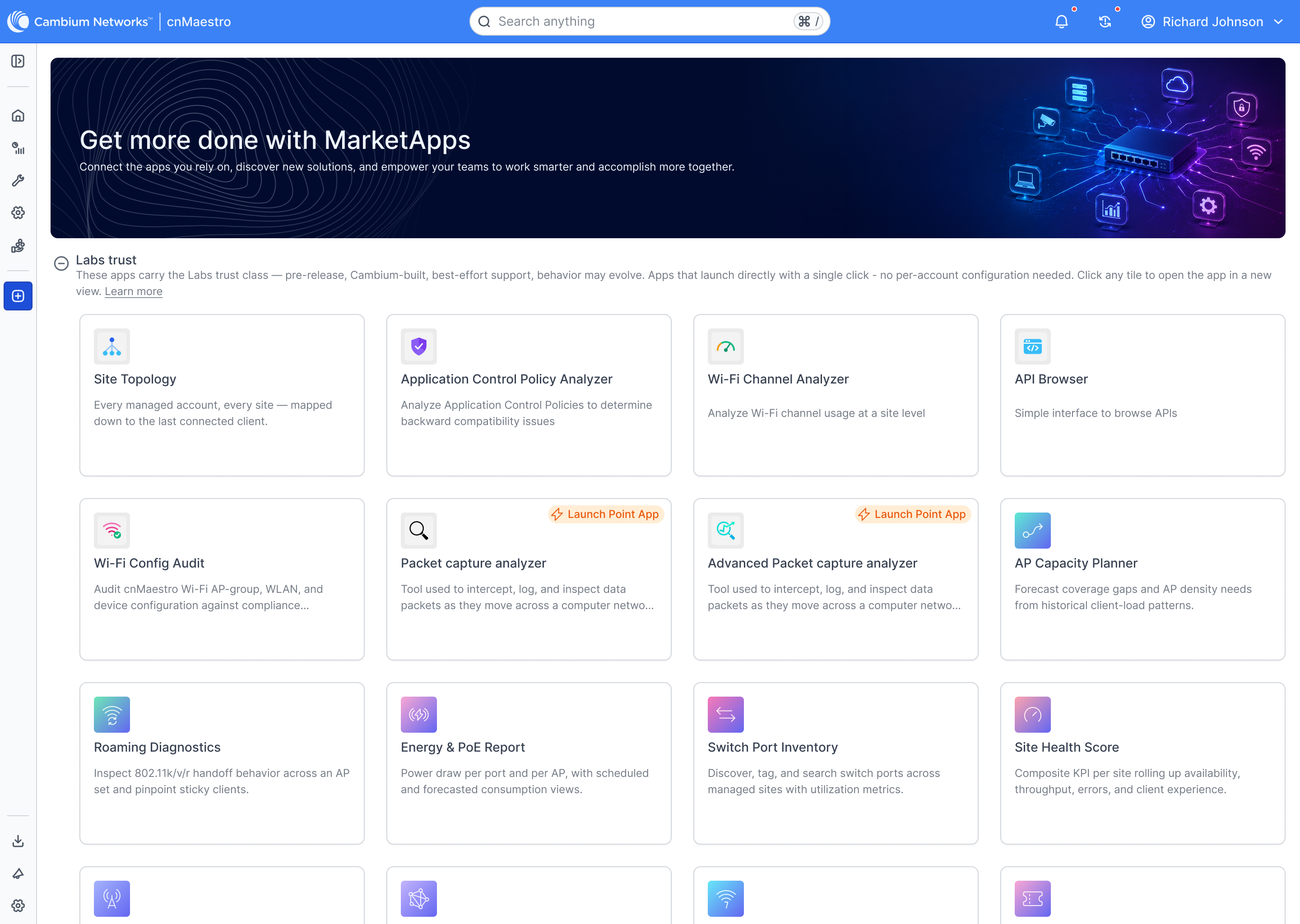
An enterprise app hub and diagnostic suite for Cambium Networks — bringing together certified industry solutions and fast, browser-based diagnostic tools for Wi-Fi channels, topology, and packet capture.
Client / Company
Cambium Networks
Role
Principal UI/UX Architect
Architecture
Enterprise App Ecosystem · Certified & Labs Tiers
Timeline
2025 – Present
Dual-Tier Extensibility Model
MarketApps organizes tools into two practical categories: Certified Apps, which are verified turnkey solutions for specific industries (like senior living or MDUs), and Labs Tools, which are quick, zero-setup diagnostic utilities that run right in the browser. This gives field engineers immediate troubleshooting tools without waiting on complex enterprise provisioning.
Curated Marketplace & Certified Solutions
Interactive Multi-Tier Site Topology
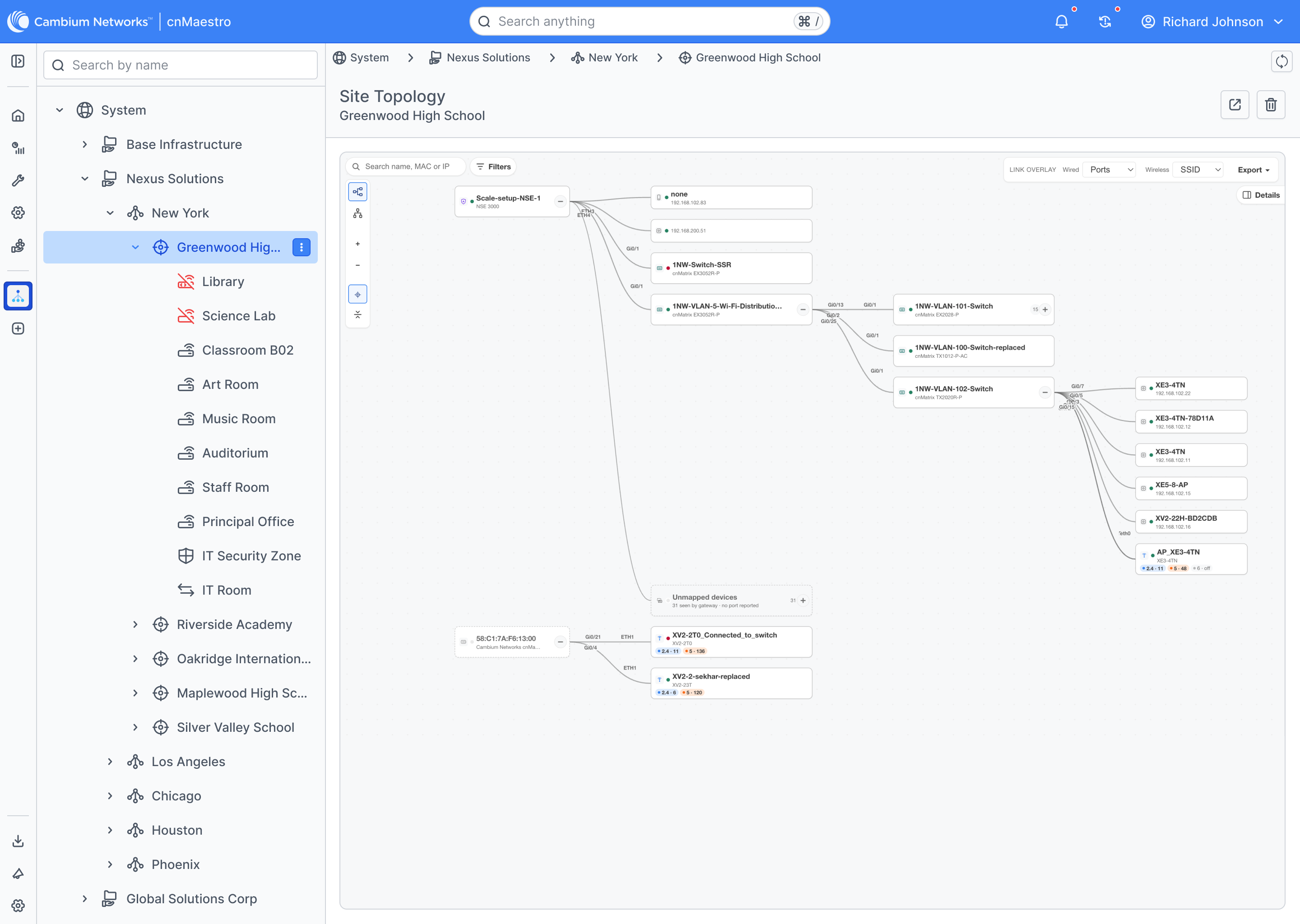
Mapping out campus networks can quickly get messy when you have dozens of switches and hundreds of access points. The Site Topology view gives engineers a clean visual map from core gateways down to individual access points and connected clients.
Operators can toggle port overlays and Wi-Fi networks on or off, collapse switch stacks to save space, and trace troubled endpoints in seconds.
Tri-Band RF Spectrum & Channel Analyzer
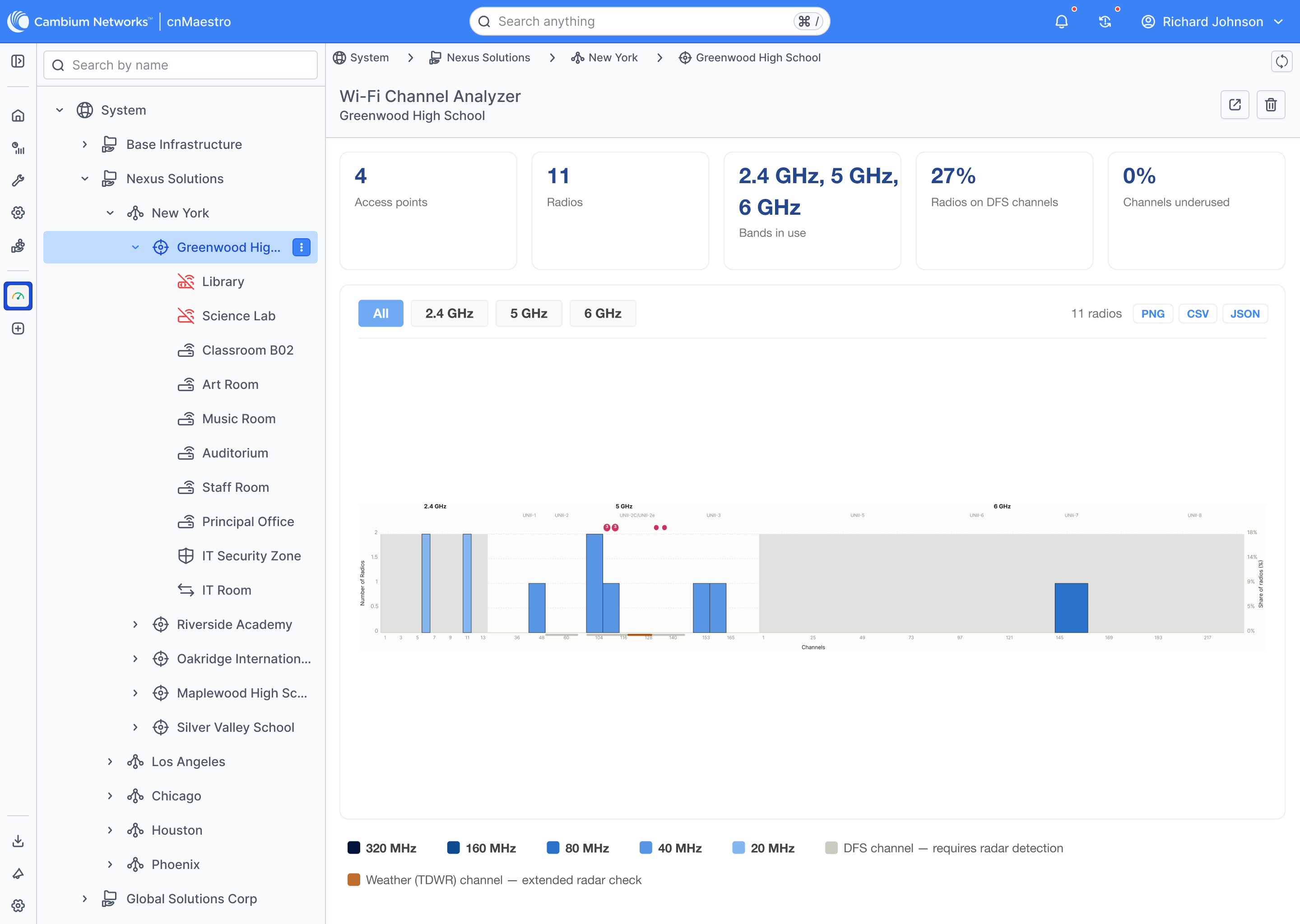
With Wi-Fi 6E and Wi-Fi 7 introducing 6 GHz spectrum, managing frequencies across 2.4, 5, and 6 GHz requires immediate visual clarity. The Wi-Fi Channel Analyzer gives teams a live view of channel usage and congestion.
It displays channel widths from 20 MHz up to 320 MHz, clearly flagging radar detection bands (DFS) and weather radar zones so engineers can avoid interference before users ever notice.
ConfigAudit: Instant In-Browser Compliance Checks
Remote Packet Capture in the Cloud
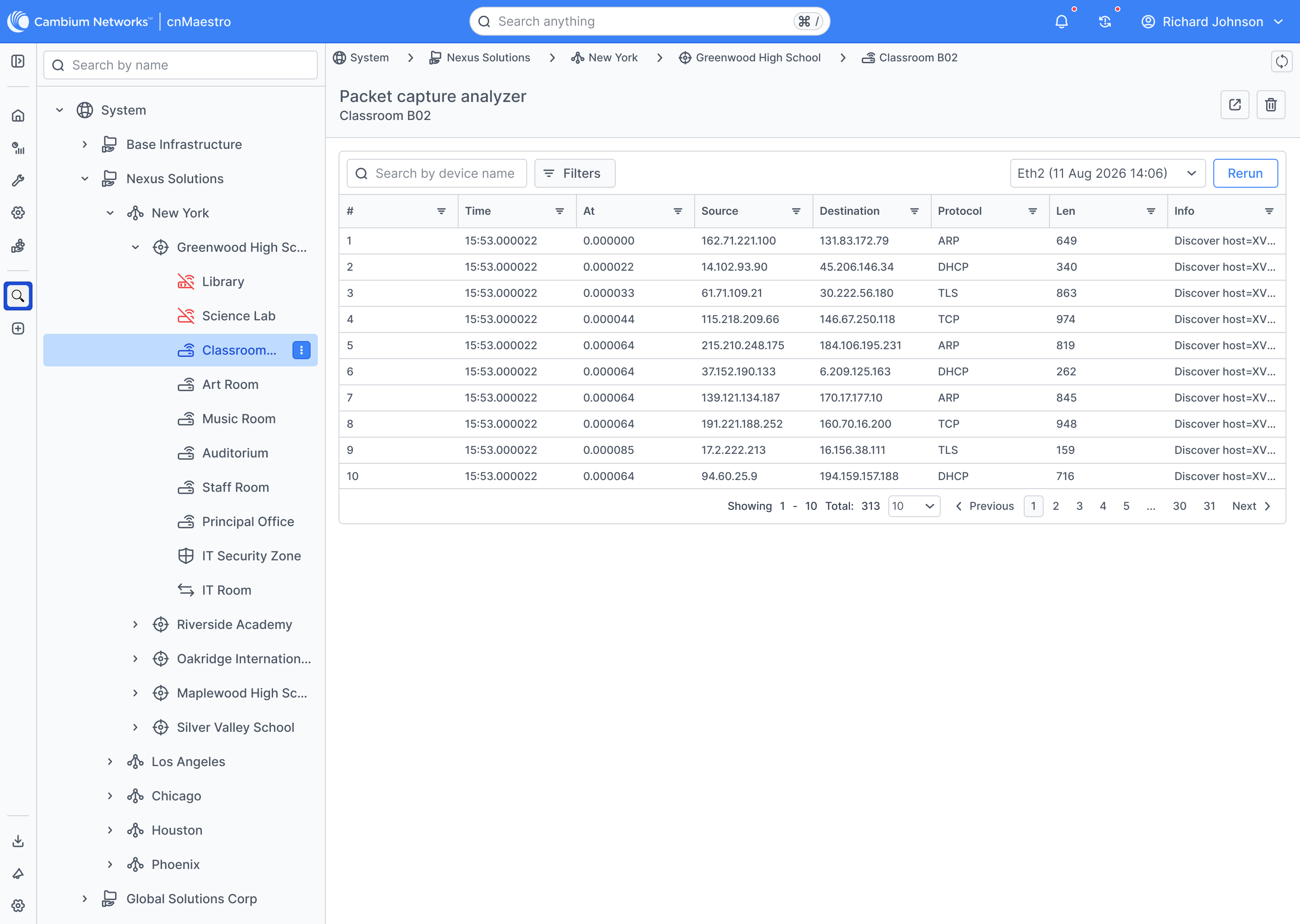
Troubleshooting tricky network glitches used to mean sending an engineer on-site with a laptop sniffer. The Packet Capture Analyzer lets teams run hardware-level captures remotely and view packet decodes directly in the browser.
Engineers can pick a physical port, set standard packet filters, and inspect ARP, DHCP, TLS, and TCP streams with accurate timestamps and packet details right away.
Fleet Operations & Vertical App Integration
More projects to explore
CDS — Enterprise Design System & Agentic UI Ecosystem
The design system powering Cambium Networks' software across 150+ countries. It connects Figma directly to production Angular code with shared design tokens, 8 custom automation plugins, accessible telecom icons, and modular component libraries.
LINKPlanner — RF Network Design & GIS Optimization
An interactive satellite map workspace that helps telecom engineers design outdoor wireless links, verify line-of-sight over hills and trees, and automatically generate equipment parts orders.
 Enterprise Platform
cnMaestro Wireless Network Manager
Cambium Networks' central cloud console for managing millions of wireless access points, switches, and backhaul radios worldwide from a single screen.